Mobile Payments in Ukraine: Apple Pay, Google Pay, and Mono
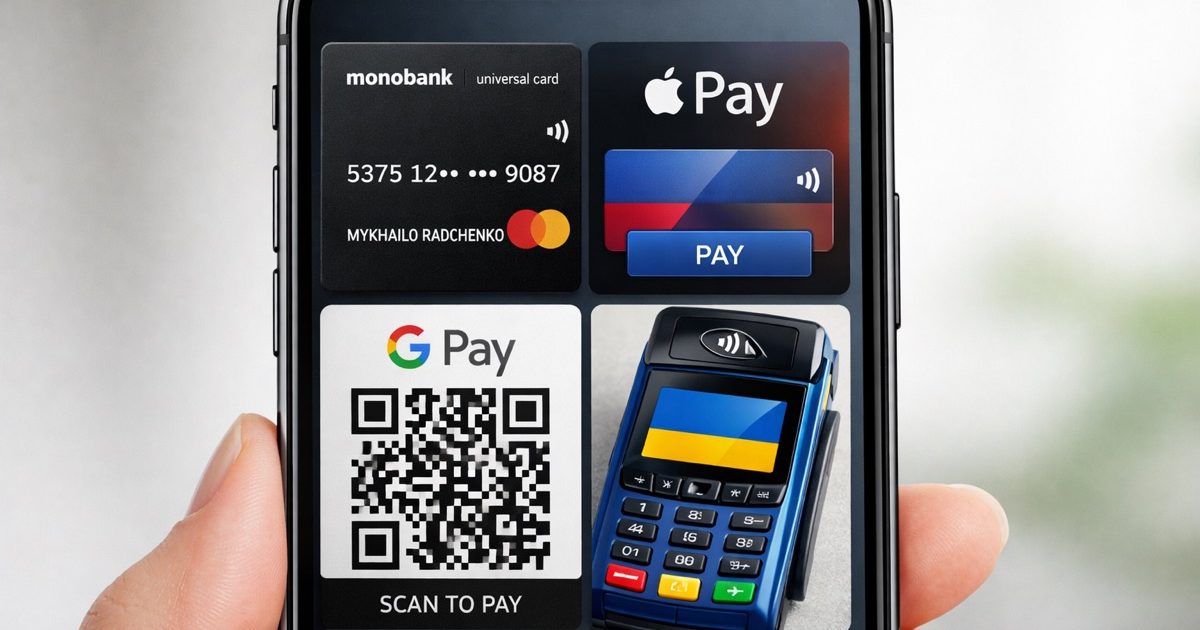
Ukraine’s cashless payment landscape in 2026
Ukraine is one of the most cashless-friendly countries in Eastern Europe, and mobile payments are now part of everyday life in cities, airports, hotels, cafes, supermarkets, and public transport. In 2026, contactless cards and smartphone wallets are widely accepted in Kyiv, Lviv, Odesa, Dnipro, and most regional centers. For many routine purchases, tapping your phone is faster and more common than using cash.
The main reason is simple: Ukrainians have adopted digital banking quickly, and businesses have followed. Most modern terminals support contactless payments, and many smaller shops now prefer them because they are fast and reduce the need to handle cash. Still, cash is not gone. You may need it in some markets, rural areas, older taxis, small kiosks, or places with unstable internet or power. A smart traveler keeps both a digital payment method and a small amount of hryvnia.. Buy travel insurance Ukraine
How Apple Pay and Google Pay work in Ukraine
Apple Pay and Google Pay are the most useful mobile payment options for travelers in Ukraine. They work on the same principle as contactless cards: you add a supported bank card to your wallet app and pay by tapping your phone or smartwatch on a terminal. In most cases, the store does not need to know whether the payment came from a physical card or a digital wallet.
Both services are widely accepted wherever contactless card payments are supported. That includes most supermarkets, pharmacies, restaurants, cafes, gas stations, and many transport-related services. If the terminal shows the contactless symbol, there is a good chance your phone wallet will work. For security, transactions are usually confirmed by Face ID, Touch ID, fingerprint, or a device passcode, so your actual card details are not shared with the merchant.
For foreigners, the main practical point is card compatibility. Many foreign Visa and Mastercard debit and credit cards can be added to Apple Pay or Google Pay and then used in Ukraine, but success depends on your issuing bank, your card type, and whether the bank allows tokenized mobile payments abroad. Before you travel, test the card in your wallet app and make sure international online and contactless payments are enabled. If one card fails, it is wise to add a second card from another bank or network.
mono: the local app many travelers notice
mono, usually written as monobank or mono, is one of Ukraine’s most recognizable digital banking apps. It is not just a wallet; it is a full mobile bank used by millions of Ukrainians for transfers, card management, bill payments, loans, and everyday spending. Travelers often hear about mono because it reflects how digital the Ukrainian payment market has become.
For most foreign visitors, opening a mono account is not the realistic path unless they have local eligibility and documentation. However, understanding mono helps explain why so many payments in Ukraine feel app-based and seamless. Ukrainians often split bills through the app, pay utilities, buy tickets, and send money instantly by phone number or card. In practice, this means that many businesses are comfortable with cashless transactions and expect customers to pay digitally.
If you are visiting Ukraine and already use a foreign bank card, you do not need mono to pay like a local. Your better option is to rely on Apple Pay, Google Pay, or a contactless card. If you are staying longer, working remotely, or relocating, ask a local bank or trusted financial advisor whether you qualify for a Ukrainian digital bank account and what identification documents are required.
International card compatibility: what usually works and what can fail
Most travelers can use international cards in Ukraine, but compatibility is not guaranteed in every situation. Visa and Mastercard are the most reliable networks for both card-present and mobile payments. American Express is less widely accepted, especially outside major hotels and international chains. If you are carrying a less common card network, test it early rather than waiting until you need a taxi or a late-night meal.
The biggest causes of payment failure are not usually Ukrainian terminals themselves. Common issues include foreign transaction blocks, disabled online or contactless payments, bank fraud filters, expired cards, low limits, or a mobile wallet that was not fully verified. Some banks also decline payments when they detect unusual location changes, especially if you arrive from another country and start spending immediately. A quick call or app message to your bank before departure can save you a lot of frustration.
It is also worth checking whether your card supports 3D Secure for online purchases, because many Ukrainian services use card verification for tickets, delivery, and reservations. If your phone wallet works but the physical card does not, the problem may be with the card’s chip, magnetic stripe, or bank settings. Keep a backup payment method: a second card from another bank, a small cash reserve in hryvnia, and the ability to transfer funds if you have access to a local account.
Where cashless payments are easiest, and where cash still helps
Cashless payments are easiest in large cities and in businesses that serve commuters, tourists, and office workers. You can usually pay by phone in supermarkets, chain pharmacies, cafes, restaurants, ride-hailing apps, train and bus ticket platforms, cinemas, and many hotels. In Kyiv and other major cities, even some street food vendors and small service businesses accept contactless payments.
Cash becomes more useful when you travel outside main urban areas or deal with informal services. Small markets, village shops, older taxis, local parking attendants, and some independent guesthouses may still prefer cash. In addition, any service that depends on internet connectivity may have interruptions. Ukraine’s digital systems are strong, but they are still affected by local outages, damaged infrastructure, or a merchant’s temporary terminal problem. That is why a mixed payment strategy is the safest approach.
A practical rule is to carry enough cash for one or two days of basic expenses, but not so much that loss or theft would be a major problem. For most visitors, that means a modest amount of hryvnia for backup, while using Apple Pay, Google Pay, or card tap payments for the majority of purchases. We recommend keeping your card provider’s emergency contact details saved offline in case you need to block a card quickly.
Practical tips for using mobile payments safely in Ukraine
Before traveling, update your phone, wallet apps, and banking apps, then check that your device region, security settings, and biometric unlock are working correctly. Add at least two cards if possible, and make sure one backup card is stored separately from your phone. If you use Apple Pay or Google Pay, confirm that your bank allows international contactless transactions and that your daily spending limit is high enough for transport, accommodation, and emergencies.
When paying in Ukraine, always look at the terminal amount before confirming. This sounds basic, but it is one of the best ways to avoid mistakes, especially in taxis, restaurants, and tourist areas where prices may vary. If a terminal asks for a PIN after a contactless payment, follow the merchant’s instructions. For larger purchases, some stores may prefer a card insertion or may request ID, depending on the bank and amount.
Finally, protect your device as carefully as your wallet. Use a strong passcode, enable Find My iPhone or Find My Device, and turn on remote lock and wipe features. Avoid public Wi-Fi for banking if you can, and do not share one-time codes with anyone. Mobile payments are convenient in Ukraine, but they work best when you combine convenience with basic security habits. If you are unsure which payment setup is best for your trip, prepare it before arrival rather than trying to solve it at the airport or hotel desk.
Continue reading
All articles
Spring Travel in Ukraine: Cherry Blossoms and Cultural Awakening

Autumn in Ukraine: Golden Landscapes and Harvest Season

Romantic Getaways in Ukraine: Best Destinations for Couples
Alcohol Laws in Ukraine: What Travelers Should Know

Foreign Embassies and Consulates in Ukraine: Complete Directory