Internet in Ukraine: VPNs, Blocked Services, and Online Safety
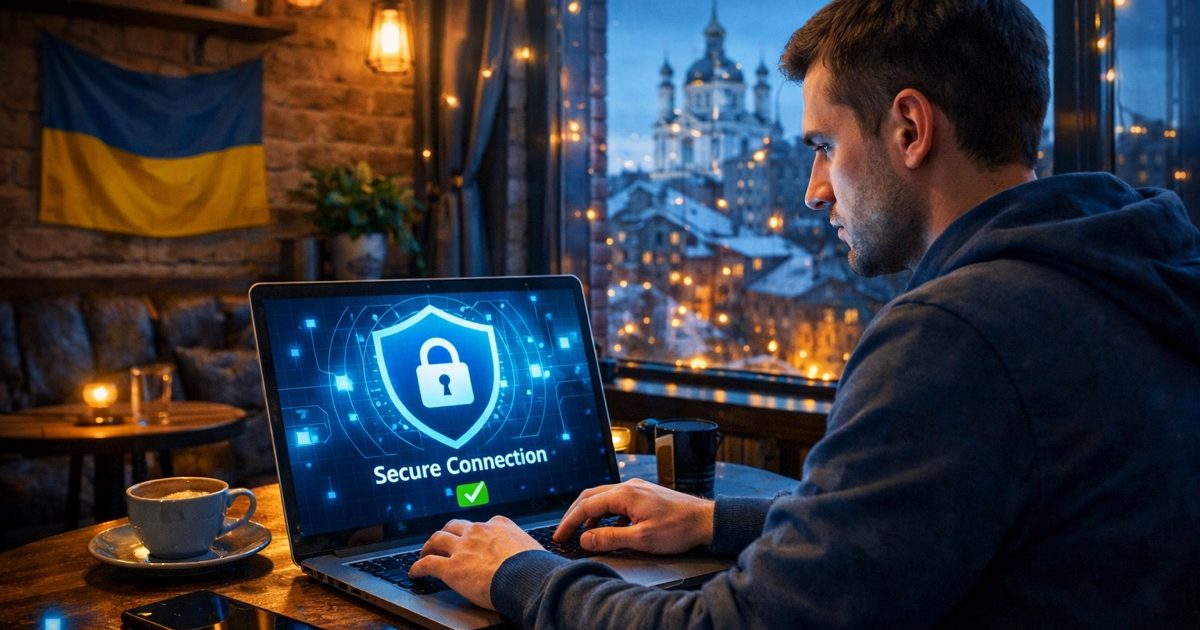
Internet Access in Ukraine: What to Expect
Ukraine has broad internet access in most cities and towns, with mobile networks and home broadband widely available. In Kyiv, Lviv, Odesa, Dnipro, and other major destinations, travelers usually find fast 4G/LTE coverage and reliable Wi‑Fi in hotels, cafes, coworking spaces, train stations, and shopping centers. In many places, internet quality is good enough for video calls, navigation, banking, and remote work.
That said, connectivity can vary by region and by time of day. In some areas, especially during power outages or emergency situations, local providers may rely on backup generators, batteries, or limited mobile coverage. If you depend on the internet for work, maps, or communication, it is wise to have two options: a local SIM/eSIM and access to Wi‑Fi. Download offline maps, translation packs, and important documents before you travel, so you are not dependent on a stable connection at all times.. Rules of Entry to Ukraine
Internet freedom in Ukraine is generally high, and the country has an open online environment compared with many others in the region. At the same time, some platforms and services are restricted for legal, security, or sanctions-related reasons. Travelers should know this in advance to avoid confusion when a website or app does not load normally.
Which Services Are Blocked or Restricted
Since 2017, Ukraine has blocked a number of Russian-owned online services and platforms, and some additional restrictions have been introduced or extended in later years for security and sanctions reasons. The exact list can change, but travelers commonly encounter access issues with certain Russian social networks, email services, search tools, media outlets, cloud products, and messaging or software services tied to sanctioned entities.
The practical effect is simple: a website or app that works in your home country may be unavailable in Ukraine, or it may load only partially. This is especially relevant if you use older accounts, Russian-language services, or software subscriptions linked to Russian providers. If you need access to important files, contacts, or communication history, move them to a neutral international platform before arrival.
It is also worth noting that internet restrictions are not the same as censorship of ordinary travel information. Most international news sites, mapping apps, ride-hailing platforms, airline websites, and major global messengers are available. Still, if your routine depends on a specific service, check its status in Ukraine before your trip and prepare an alternative.
VPNs in Ukraine: When and How to Use Them
A VPN can be useful in Ukraine for two main reasons: accessing services that may be blocked or geo-restricted, and improving privacy on public Wi‑Fi. However, a VPN is not a magic solution. It does not make you invisible online, and it cannot protect you from phishing, device theft, or malware if your basic security habits are weak.
If you decide to use a VPN, choose a reputable paid provider with a clear privacy policy, modern encryption, and a strong record of stability. Avoid free VPNs that monetize user data, inject ads, or limit security features. Good options for travelers typically include well-known international services with apps for iPhone, Android, Windows, and Mac, plus features such as a kill switch, split tunneling, and multi-device support. Before you travel, install the app, create your account, and test it on your home network, because some VPN websites or app stores may be harder to manage once you are abroad.
For everyday use, connect the VPN before opening public Wi‑Fi in hotels, airports, or cafes. If a website fails to load, try a different server location, but avoid repeatedly switching servers while using banking or identity-sensitive services, since that can trigger security checks. Also remember that some apps, especially financial platforms, may flag VPN traffic as suspicious. If that happens, disconnect the VPN and use a trusted mobile connection instead. We recommend treating VPNs as one part of your digital safety plan, not the whole plan.
Cybersecurity Tips for Travelers
The biggest online risks for travelers are usually not advanced attacks but simple, preventable mistakes: weak passwords, unsecured Wi‑Fi, fake login pages, and lost or stolen devices. Start with the basics. Use a password manager, create unique passwords for every important account, and turn on two-factor authentication for email, banking, cloud storage, and messaging apps. If possible, prefer an authenticator app or hardware key over SMS codes, especially when your phone number may not be active abroad.
Keep your phone and laptop updated before departure. Security patches matter, and old devices are easier to compromise. Enable device encryption, screen locks, remote wipe, and app-based biometric login. If you plan to use public charging points, carry your own charger and a power bank; avoid unknown USB charging stations unless you use a charge-only cable or USB data blocker.
Be careful with public Wi‑Fi. Even when a network looks legitimate, it may be spoofed. Verify the network name with staff, avoid logging into sensitive accounts on open networks without a VPN, and never ignore browser warnings about certificates. For banking, ticketing, or government services, mobile data is usually safer than shared Wi‑Fi. Finally, watch for phishing messages in email, SMS, Telegram, and WhatsApp. Scammers often impersonate airlines, delivery services, banks, or even local authorities. If a message pressures you to click quickly or pay immediately, verify it through the official website or app before taking action.
Practical Setup Before You Arrive
A little preparation makes internet access in Ukraine much smoother. First, check whether your phone supports Ukrainian mobile bands and whether it is unlocked for a local SIM. Many travelers now prefer eSIMs because they can be activated before arrival and do not require visiting a shop. If your phone supports dual SIM or eSIM plus physical SIM, you can keep your home number active for calls and verification codes while using a local data plan for browsing.
Second, save the essentials offline: hotel addresses, boarding passes, contact numbers, embassy details, maps of your destination, and copies of your passport and insurance policy. Store them in at least two places, such as a secure cloud account and an encrypted local folder. If you travel with family or a group, agree in advance on a backup communication plan in case one app is unavailable.
Third, know which services you rely on most. If your email provider, cloud drive, or messenger has a history of being blocked or unstable in some countries, set up an alternative before departure. This is especially important for business travelers, journalists, volunteers, and anyone carrying sensitive data. A short checklist done in advance can prevent a lot of stress later.
What to Do If a Site or App Does Not Work
If a service fails in Ukraine, do not assume it is a general internet outage. First, test another network: switch from Wi‑Fi to mobile data, or vice versa. Then check whether the problem is with one app, one browser, or one device. Clearing the cache, updating the app, or restarting the device may solve simple technical issues.
If the service is blocked or geo-restricted, a VPN may help, but only if its use is legal and appropriate for your situation and the platform’s terms. For important tasks like banking, identity verification, or travel changes, use the most stable connection available and have a backup method ready. For example, if a payment app refuses VPN traffic, disconnect and try again on mobile data.
If you are staying in Ukraine for more than a few days, consider a local support contact, especially if you are working remotely or handling time-sensitive documents. Keep copies of critical files offline and maintain access to a second email address or communication channel. In practice, the best internet safety strategy is redundancy: two connections, two ways to authenticate, and at least one offline backup for the information you cannot afford to lose.
Continue reading
All articles
Booking Hotels in Ukraine: Best Platforms and Tips

Using ATMs in Ukraine: Fees, Limits, and Safety Tips

War Tourism in Ukraine: Ethical Considerations and Guidelines

Women Traveling Alone in Ukraine: Safety and Practical Guide

Solo Travel in Ukraine: Tips and Safety Advice